Viewing Your Commissions
When you’re reconciling your totals for a period, this page explains the earned/pending/waiting/paid buckets, how filters behave, and how to drill into a deal to see the inputs behind the number.
What you can do on this page
- Understand what each commission status bucket means (earned/pending/waiting/paid).
- Filter by period and deal/calculation status to focus your review.
- Drill into deal-level inputs (variables) that drive the number you see.
- Review spiffs and adjustments tied to your deals.
- Export your filtered view for personal tracking or review.
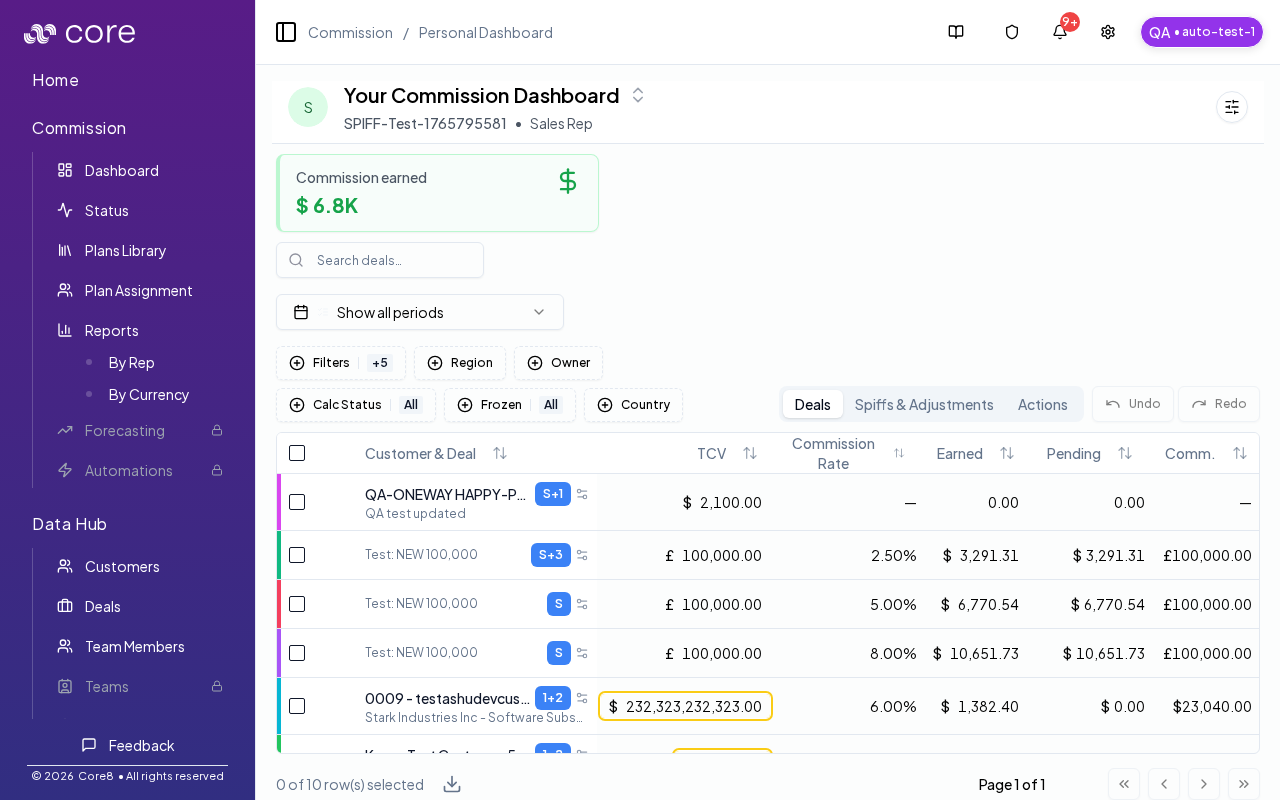
Status buckets
These buckets describe where money sits in the commission lifecycle:
- Earned: Total commission amount earned (per your plan + deal inputs) for the selected period.
- Pending: Earned but not yet paid, and not blocked by an invoice/payment gate.
- Waiting: Earned but blocked by missing gate evidence (for example, waiting on invoice or payment).
- Paid: Amount already paid out.
Tip: when you filter by a bucket, the Deals list shows deals with a non-zero amount in that bucket.
Periods and filters
- Use the period selector to focus on a month or quarter.
- Use search and filters to narrow deals by status or stage.
- There is also a calculation status filter (calculated, waiting, failed, skipped).
Deal-level detail
- Review each deal's amount, status, and key dates.
- Open the variables sidebar to see the fields used in the calculation.
- Use Discussions on a deal to ask for updates or clarifications.
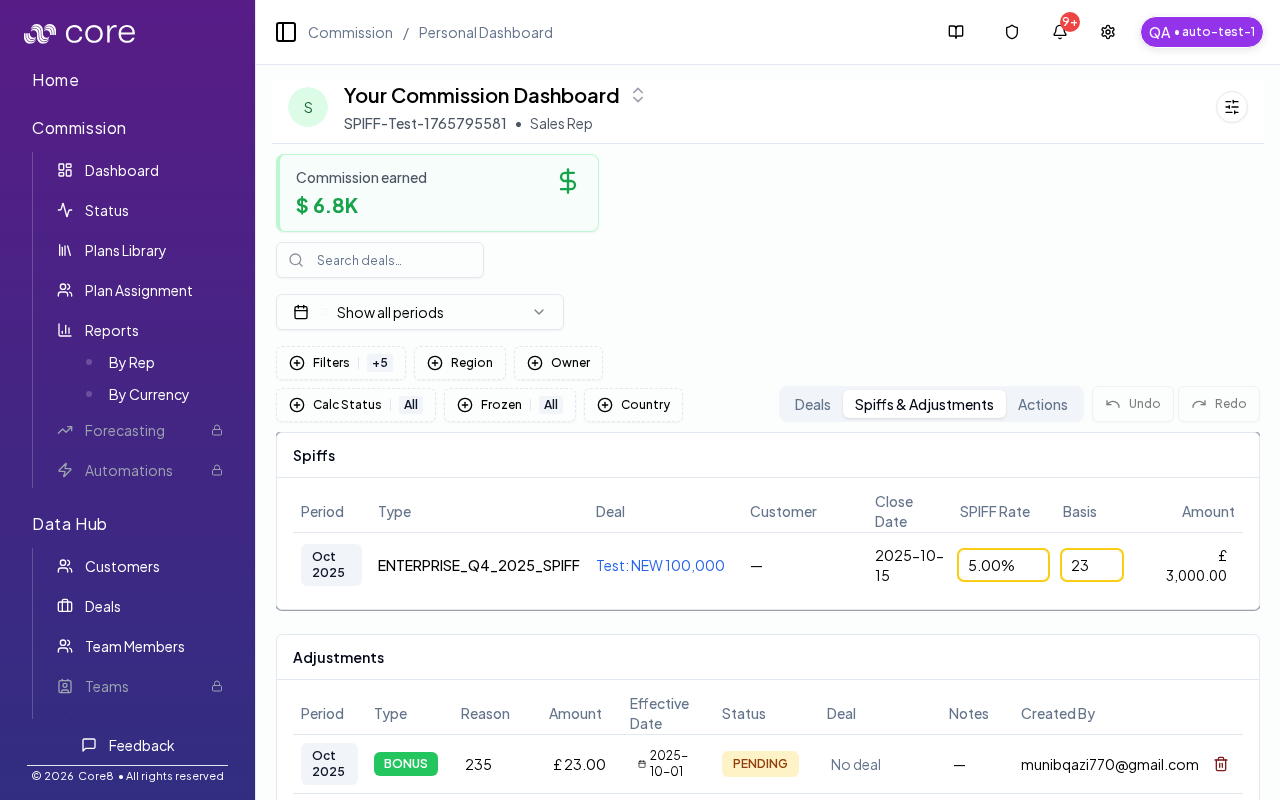
Spiffs and adjustments
The Spiffs & Adjustments tab shows bonus and adjustment activity tied to your deals.
Actions
The Actions tab highlights items that need your attention, such as follow-ups or exceptions.
Exports
You can export your own commission data. Exports use your personal dashboard view and filters.
This is a view-only experience. If anything needs to be updated, use the deal Discussion to request changes.
How to verify the numbers match what you expect
- Select a specific period (month/quarter) and confirm the totals align with your expectations for that period.
- Click a status bucket (earned/pending/waiting/paid) and confirm the Deals list filters down to deals with a non-zero amount in that bucket.
- Open one deal and verify the key inputs (dates, amounts, status) are consistent with what you expect.
- If you export, confirm the export reflects your current filters and selected period.
Common issues
- My totals do not match what I expected: confirm you are looking at the right period, then open a deal and use the Calculation view to see plan selection, gates, and effective values.
- A deal is not showing up: clear search/filters and confirm the deal is assigned to you (and in the selected period). Split/child deals may appear under a parent.
- Numbers changed since yesterday: overrides, plan changes, or a recalculation can move amounts; check the deal's audit/history and the calculation snapshot.