

What you can do on this page
- Understand what a plan contains (metadata, timing/selection rules, and calculation logic).
- Understand how plans apply to deals during calculation.
- Understand why approvals matter for changing live calculation behavior.
- Understand the difference between the Library and Imports tabs.
- Navigate to the next step for creating, configuring, and approving plans.
Under the hood
Under the hood
- Approval boundary: calculations use the last approved version until pending changes are approved.
- Imports: uploaded documents are processed asynchronously; if you navigate away, use the Plans Library Imports tab to confirm completion later.
- Operational impact: plan changes can change plan selection, eligibility, and derived totals for deals.
- How to verify: see How to verify plan selection and imports below.
- If it fails: check the Plans Library Imports tab for the failed file and retry after fixing the document or configuration issue.
How to verify plan selection and imports
- To verify plan selection:
- Open one known deal and check Calculation → Plan Selection to see which plan/version was used.
- If you just edited a plan, confirm you’re looking at the approved version (pending edits don’t affect calculation until approved).
- To verify an import finished:
- Open the Plans Library Imports tab and confirm the uploaded document completed successfully.
- If it failed, open the Imports row for error details, fix the document/config issue, and retry.
What a plan contains
A plan typically includes:- Basic metadata (name, region, visibility, status, effective/end dates, payout currency).
- Timing and selection rules:
- which deal date makes the plan applicable (deal relevance mode / anchor mode)
- (optional) an override for how deals get assigned to the plan (plan selection mode)
- an eligibility gate (none/invoice/payment) that affects when commissions become earned/eligible
- Calculation logic that turns a deal’s variables into commission results.
How plans apply to deals
Plans are applied at calculation time. When Core8 calculates a deal, it selects an applicable plan based on assignment and timing rules, then uses the plan’s logic to produce commission amounts and statuses. If something looks “wrong” for a deal:- start with plan selection (which plan was used),
- then check the deal’s anchor date/timing,
- then confirm the variables and any overrides.
Draft vs approved changes
Some plan changes require approval before they affect calculations. This creates a safer workflow:- You can edit and review changes.
- Core8 marks the plan as having pending changes.
- You approve (or discard) those changes before they impact results.
Library vs imports
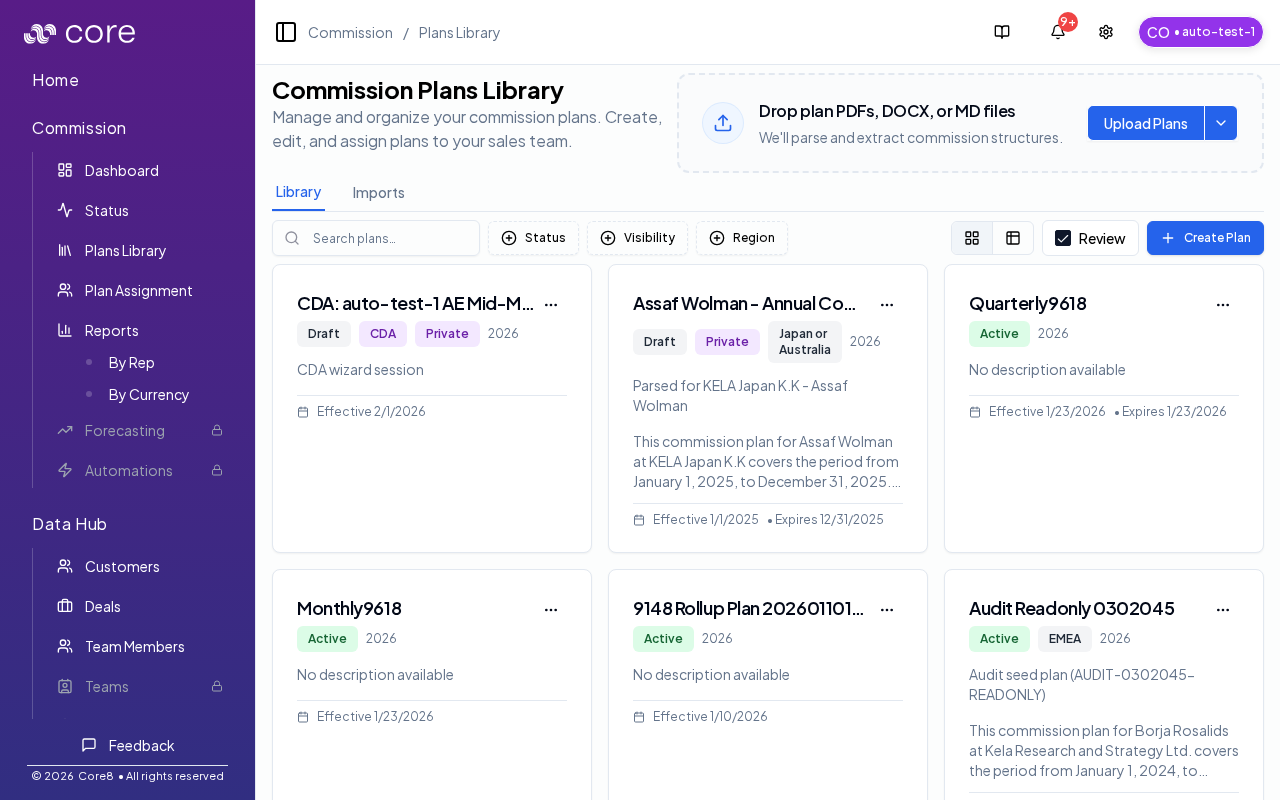
- Library: browse and manage existing plans (grid/table view, filters, bulk actions).
- Imports: monitor plan document processing and troubleshoot failed uploads.
Common issues
- A plan is not being used for a deal: check the participant’s plan assignment dates and the plan’s effective/end dates (and selection rules).
- Edits are not reflected in calculations: only the last approved version is used; confirm your changes are approved, then re-check a known deal.
- A deal is Waiting due to a gate: the plan’s eligibility gate (invoice/payment) requires evidence; verify the required fields exist in Data Hub.