

What you can do on this page
- Connect Core8 to your CRM/billing/data sources.
- Configure what is synced and how fields are mapped.
- Choose which system is the source of truth when data overlaps.
- Trigger a sync to pull the latest data into Core8.
- Review logs when imported data looks wrong or incomplete.
Under the hood
Under the hood
- Read Integrations Data: triggers a background sync job.
- Configuration: controls scope and mappings that affect how Core8 interprets imported fields.
- Priority: determines which integration “wins” when multiple systems provide overlapping data.
- How to verify: after a read/sync completes, confirm you see updated records in Data Hub and review Logs for errors/warnings.
- If it fails: check Logs for sync issues, then retry after fixing the underlying integration/auth/config problem.
Access
- Open Settings → Integrations.
- URL:
/{orgId}/integrations
How priority works (example)
If both your CRM and billing system provide the same field (like currency, customer name, or amount), priority determines which value Core8 treats as authoritative. Set priority so the system you trust for that field wins, then verify on a single known deal or customer.Connect tab
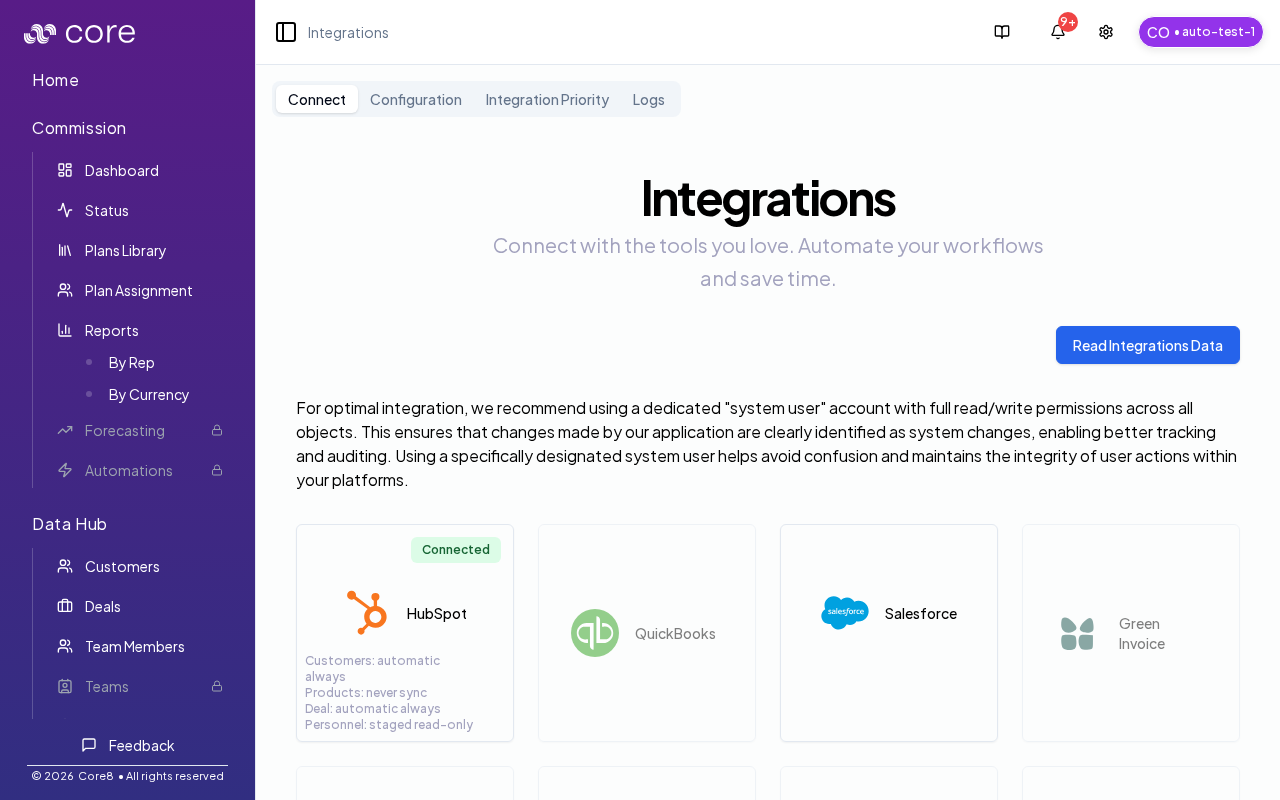
On Connect, you can connect providers and kick off a sync:- Use Read Integrations Data to sync integration data into Core8.
- For best results, connect using a dedicated “system user” account with read/write permissions (so system changes are easy to audit).
- Some integrations may be unavailable based on your organization’s configuration.
Logs tab
The Logs tab shows integration issues/logs. You can bulk-delete selected logs to clean up resolved noise.How to verify a sync worked
- Click Read Integrations Data.
- Open the relevant Data Hub pages and confirm the expected records/fields are present.
- If changes don’t appear immediately, refresh the Data Hub page (sync writes are asynchronous) and check Logs for errors.
Common issues
- A sync/import did not update data: check Logs for the integration and confirm the connection is still authorized.
- Two systems disagree on the same record: review Integration Priority / data-flow rules so you know which source wins for each object type.
- A job keeps failing: fix the root cause shown in Logs (auth, permissions, field mapping), then retry the job.
The page uses the
view query parameter:integration: connect providersconfiguration: configure data flow rulesintegration-priority: choose which integration is the source of truth when data overlapslogs: review sync issues and events