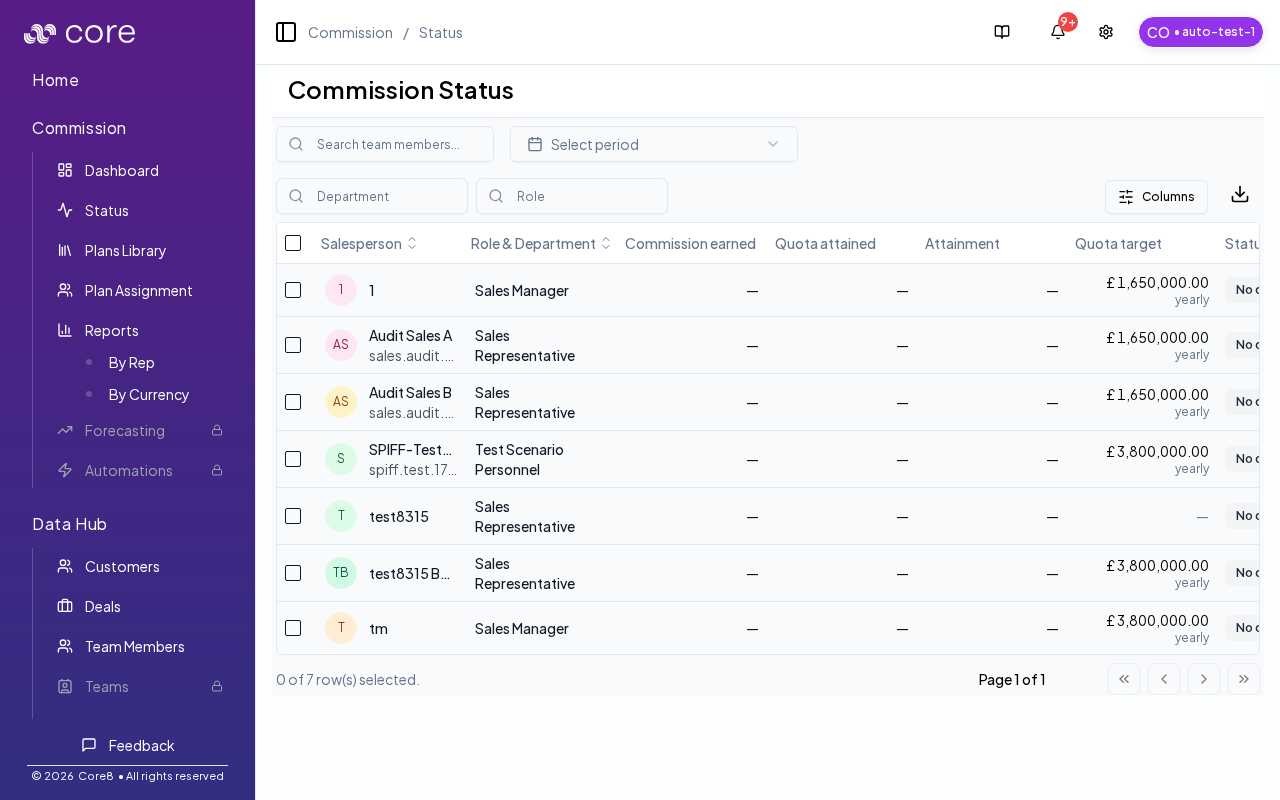
Choose this pattern when you need an operational view of what was earned vs what has actually been paid, without changing the underlying calculation logic. Before you start updating Paid values, decide whether you’ll track payments per deal (recommended) and which page/report is your source of truth for close. Validate by editing one known deal’s Paid amount and confirming Pending/Waiting recompute as expected.

When to use this

  • You need to track what is earned vs what has been paid out.
  • You need an operational view for payroll close and reconciliation.
  • You want to reduce confusion between commission results and payments.
Commission status

Key concepts

  • Earned: what the plan calculation produced for the period (plus any adjustments).
  • Paid: what has actually been paid out to date.
  • Pending / Waiting: the remaining amount that is not yet paid (waiting indicates blocked by missing requirements; pending indicates eligible but unpaid).

How paid amounts work in Core8

Managers can edit a deal’s Paid amount directly in the commission deals table. Core8 will:
  • clamp invalid values (for example, negative paid becomes 0)
  • recalculate Pending and Waiting based on the updated Earned/Paid amounts
You can also edit Earned and Paid in the deal variables sidebar under Commission totals.

How Pending vs Waiting is computed

Core8 computes the outstanding amount as: outstanding = max(0, earned - paid) Then:
  • If a blocking gate exists for the deal/period, the outstanding amount shows as Waiting.
  • Otherwise, the outstanding amount shows as Pending.
  1. Use the commission dashboard and reports to review earned amounts for the period.
  2. After payouts, update Paid amounts on the relevant deals.
  3. Use the Commission Status page to spot:
    • missing data (waiting)
    • currency mismatch or unavailable attainment (where applicable)
    • overall readiness to close a period

How to verify

  1. Pick one known deal with a non-zero Earned amount.
  2. Edit the deal’s Paid amount and save.
  3. Confirm outstanding = max(0, earned - paid) and the outstanding amount shows as Pending vs Waiting as expected.
  4. Reconcile in Commission Status for the period.

Split deals

If a deal is split into child deals, edit Paid amounts on the child deals. The parent deal’s Paid total is a rollup of its children.

Common gotchas

  • Decide (and document) which date anchors the behavior: booking date vs invoice date vs payment date.
  • If the pattern depends on fields from an integration, confirm those fields actually exist in Data Hub and aren’t overridden.
  • Test with a tiny set of deals first, then expand—patterns often “work” but break on edge cases like refunds, partial payments, or split deals.