

What you can do on this page
- Browse team members used for commission calculations.
- Identify missing required fields in the Gap Report tab.
- Investigate duplicates, mapping issues, and integration errors.
- Validate that personnel records are correctly linked to users.
- Export/import team members for reconciliation workflows (where enabled).
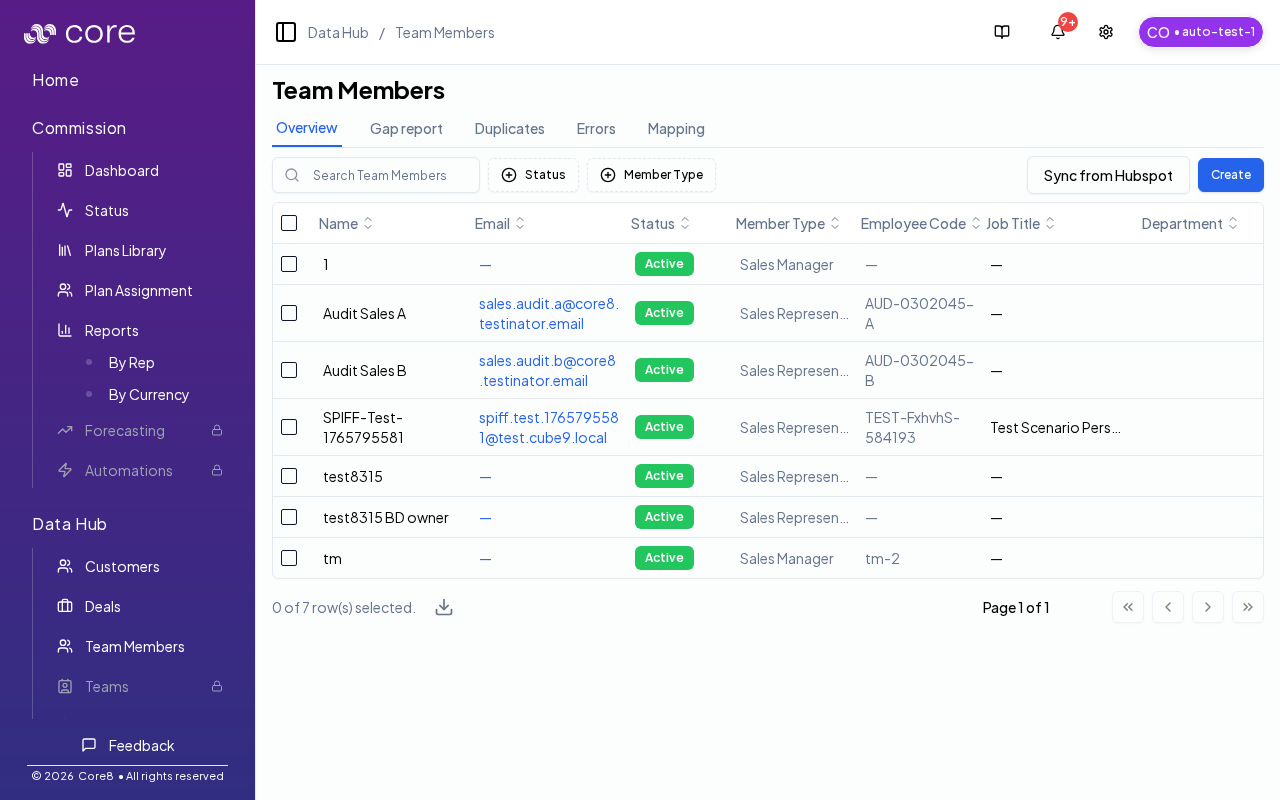
Overview table
On the Overview tab, you can:- Search and filter team members (for example by status and member type).
- Trigger per-integration sync actions (for example “Sync HubSpot Personnel”) to pull new/updated team members.
Under the hood
Under the hood
- Sync actions: trigger a background sync for the selected integration (for example, Sync HubSpot Personnel). Sync runs asynchronously and updates Team Members when it completes.
- After completion: the Team Members table refreshes to reflect new/updated records.
- If it fails: review the Errors tab, then check Settings → Integrations → Logs (and Notifications, if enabled for your org) for details.
- How to verify: see How to verify a team member sync worked below.
How to verify a team member sync worked
- Trigger the per‑integration Sync action.
- Confirm completion in Settings → Integrations → Logs (or Notifications, if enabled).
- Search for a known person to confirm fields updated (email, role, manager, status).
- If records look wrong, check Gap Report, Duplicates, and Errors to see what’s missing or conflicting.
Gap report and data quality
The Gap report, Duplicates, and Errors tabs may wait for Core8 to load your connected integrations before showing results.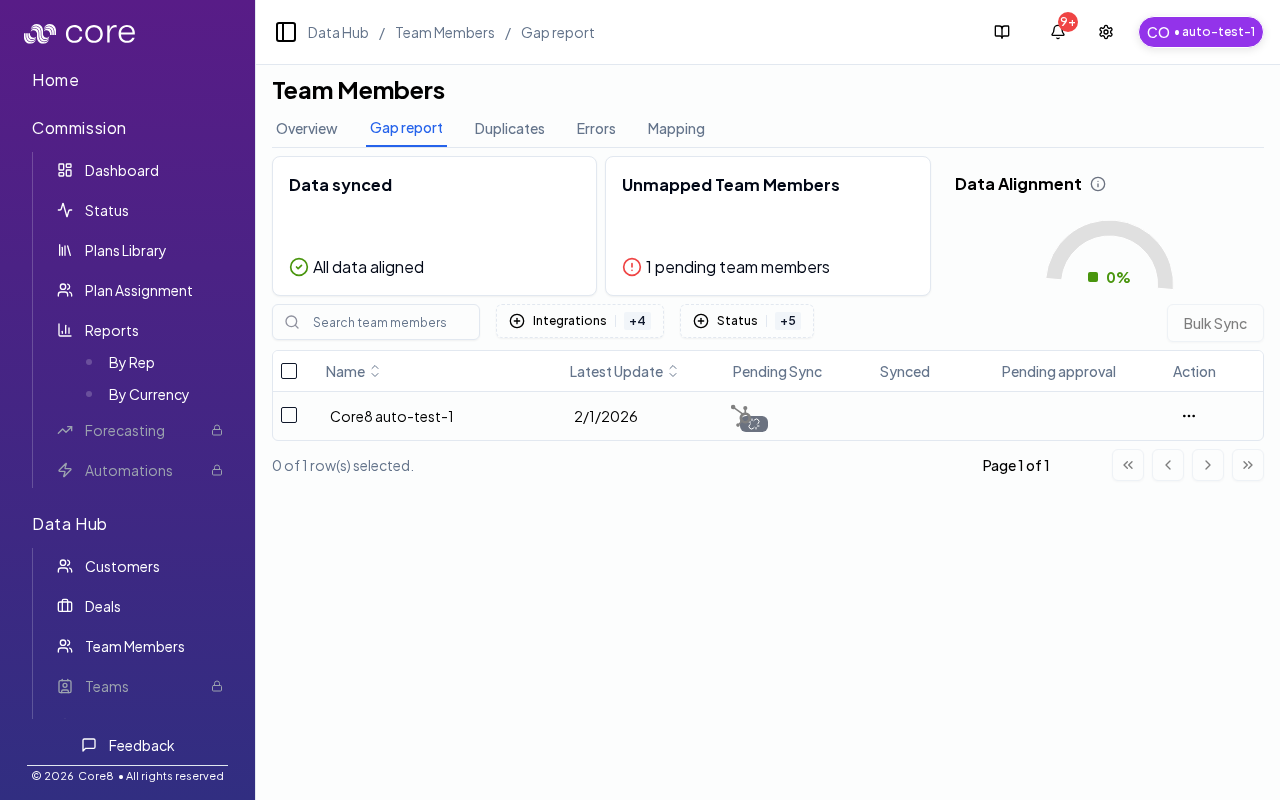
Team member details
Click a team member to open their detail page at:/{orgId}/team-members/{teamMemberId}
Team member detail pages are editable. Update fields (for example name, status, manager, and currency) and save changes.
Common issues
- A person is missing: confirm they exist in the source system and are included by your integration filters; then run the per-integration sync.
- Fields look wrong (manager/email/status): check the source system first, then check integration priority/mapping (and whether an override exists).
- Gap report shows missing required fields: fill the missing fields in the source system (preferred) or upload an enrichment file if your org supports it.
The page uses the
tab query parameter:overview: team member tablegap-report: missing/required data coverageduplicates: suspected duplicate team memberserrors: integration issues affecting team members