

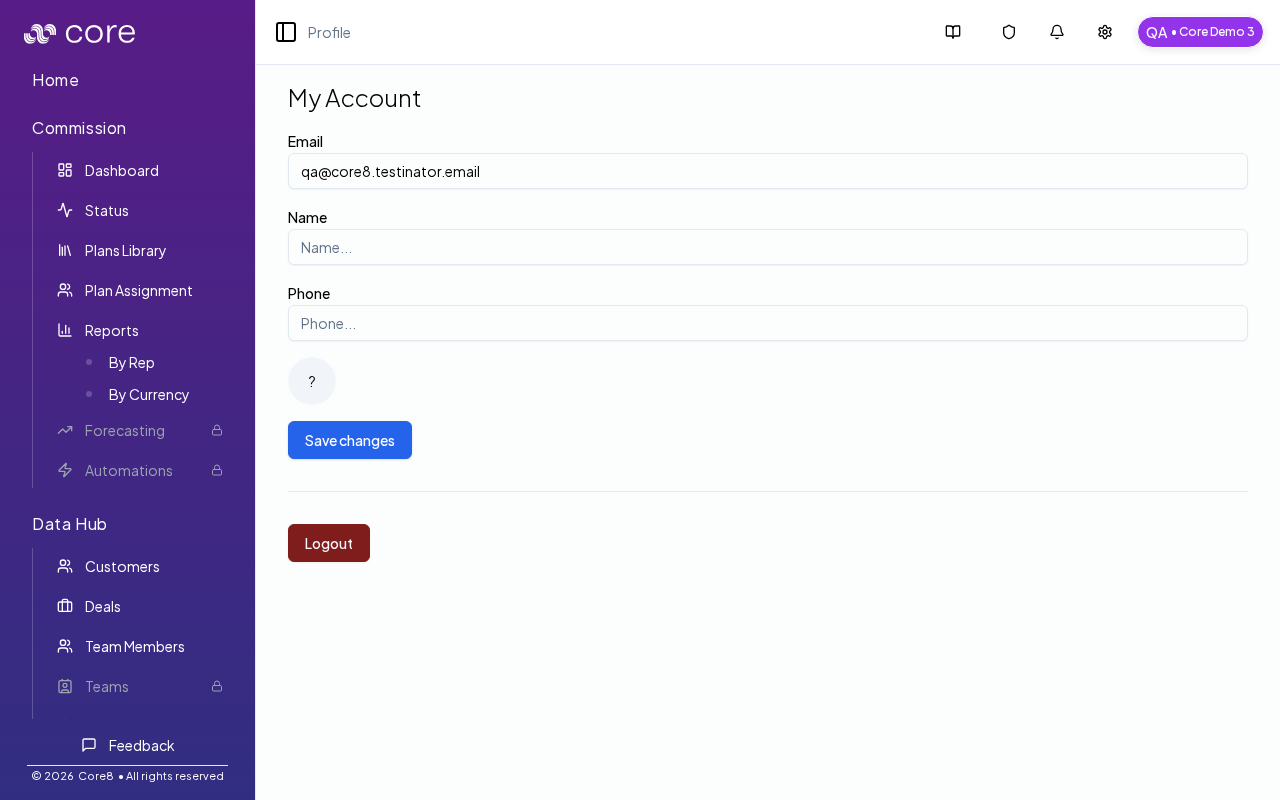
What you can do on this page
- Update your name and phone number.
- Upload and crop an avatar for your account.
- Save changes to persist profile updates.
- Log out to end your session.
- Switch organizations when you belong to multiple accounts.
Open your profile
- Click the account pill in the header (initials + organization name).
- Select Profile.
- URL:
/{orgId}/account
Update your profile
On the My Account form you can:- view your email (read-only)
- update your name and phone number
- upload an avatar (click the avatar, upload an image, crop, click Save, then click Save changes)
Log out
Use Logout to end your session and return to the login screen.Switch accounts (organizations)
If you belong to multiple organizations, the same header dropdown includes Switch Account:- select a different organization to navigate to that org’s homepage (
/{orgId}) - if you belong to many organizations, use the search field to filter the list
Common issues
- Profile changes do not save: make sure you click Save changes after editing (and after cropping an avatar). Refresh to confirm the update persisted.
- I do not see Switch Account: you may only belong to one organization, or your role does not include additional org access.
- I am in the wrong org: use the account pill (initials + org name) to confirm the active org before making changes.