

What you can do on this page
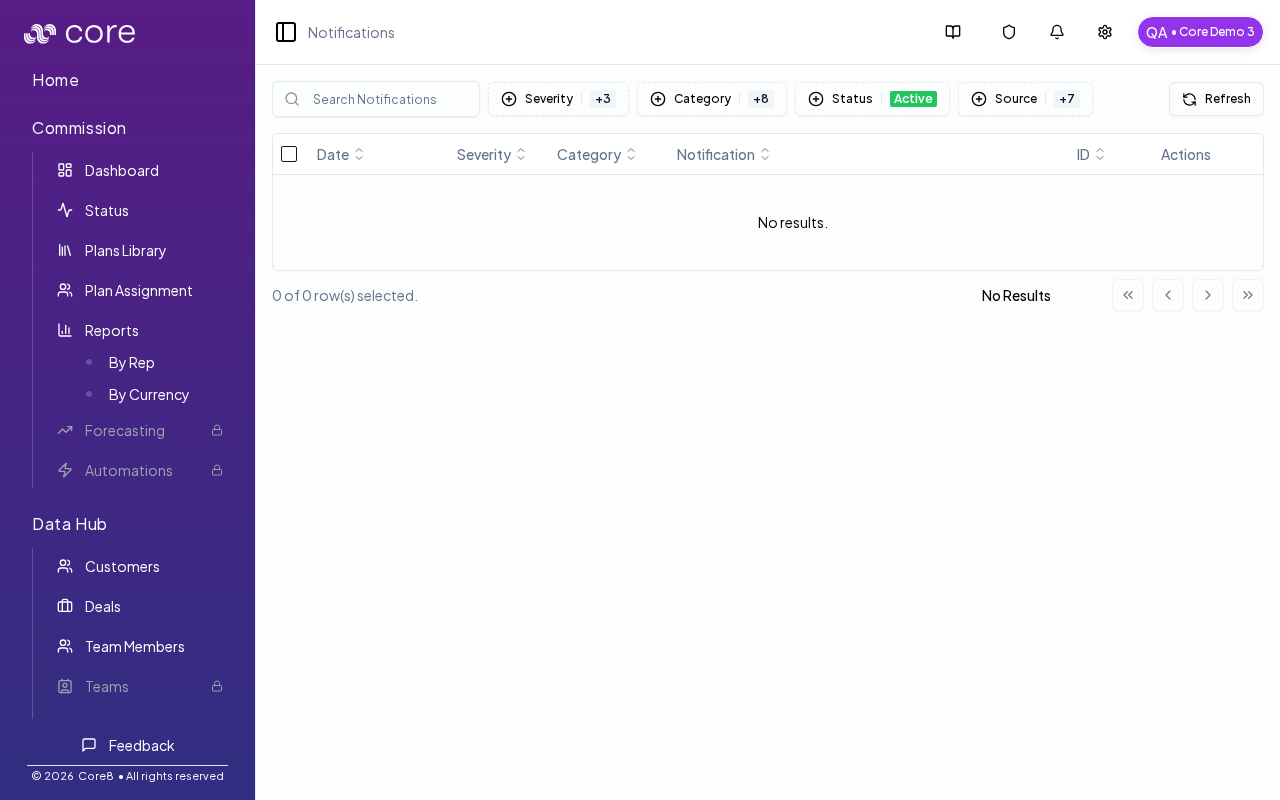
- Search and filter operational notifications by severity, category, and status.
- Mark notifications as read and dismiss (hide) them when resolved.
- Bulk hide/unhide notifications to keep the table usable.
- Refresh notifications when background work completes.
- Use notifications to spot data issues and calculation blockers early.
Under the hood
Under the hood
- Refresh: triggers a background job to pull the latest notifications. When it completes, the table reloads.
- Role gating: some categories are only visible to managers (for example calculation-blocked notifications).
- Common failure modes: delays while jobs run and permissions that hide certain categories/actions.
- How to verify: see How to verify refresh worked below.
- If it fails: broaden your filters (severity/category/status), confirm you have access to the category, and retry after background work completes.
Access
- Click the bell icon in the header, or open
/{orgId}/notifications.
Filters
Notifications can be filtered by URL-backed controls, including:- search
- severity
- category
- status (active/hidden)
- source (trigger source)
CALC_BLOCKED category is only available to Sales Managers.
Actions
On each notification you can:- Mark as read
- Dismiss (hide)
Refresh
Use Refresh to trigger a background job that refreshes notifications and then reloads the table.How to verify refresh worked
- Click Refresh.
- Confirm the table reloads and the newest rows/timestamps update (or new notifications appear).
- If you expected something and don’t see it, broaden your filters (severity/category/status) and refresh again.
Common issues
- I do not see the notification I expected: clear search, broaden severity/category filters, and confirm whether you are viewing Active vs Hidden.
- Refresh does not show recent work: background jobs complete asynchronously. Check Settings → Integrations → Logs for the source job, then refresh again.
- I cannot see some categories: some categories (for example, calculation-blocked) are manager-only.